
Enhancing Security for Clinical Front Desk Staff
Kara Stamets, Sr. Content Marketing Specialist, Alertus Technologies

Front desk staff in clinical offices are crucial to operations but face security risks due to their location near main entrances.
In urgent care centers, dental offices, and rehab facilities, front desk staff are the heartbeat of daily operations. However, their position, situated near main entrances and often on the ground floor, places them on the front lines of potential security risks. From managing aggressive patients to handling suspicious packages or sudden lockdowns, enhancing their safety requires a shift from reactive to proactive security. By integrating discreet, high-speed panic buttons into a unified mass notification system, organizations can ensure that help is never more than a silent click away.
Implementing panic buttons into your mass notification system
Not every clinical setting is the same. Whether your staff is stationed behind a plexiglass barrier or moving between patient rooms, there is a specialized activation method to fit the environment.
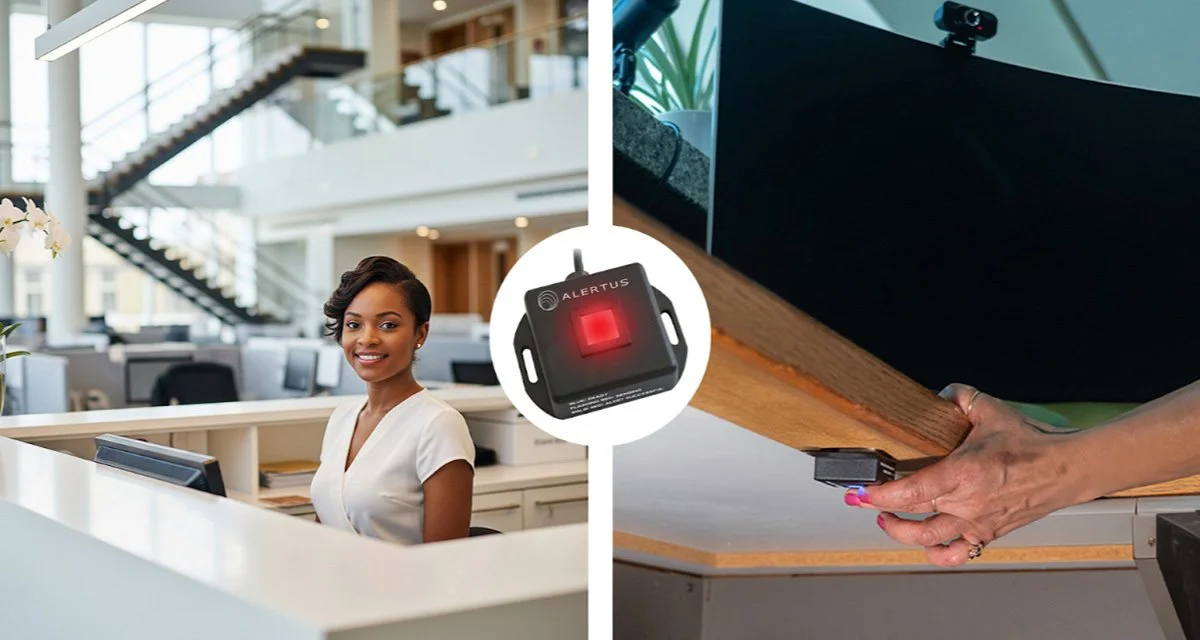
The Desktop Activator and USB Panic Button extends system activation to computers or workstations within vulnerable areas.
Alertus’ software-based Desktop Activator provides immediate incident reporting or system activation. Front desk workers can send information to dispatchers via a pre-filled form or using a desktop panic button hotkey, task tray icon, or keyboard shortcuts.
The USB Panic Button is a discreet, hardwired extension of the Desktop Activator, which can be pressed under a desk, and sends alert information immediately to dispatchers and emergency responders.
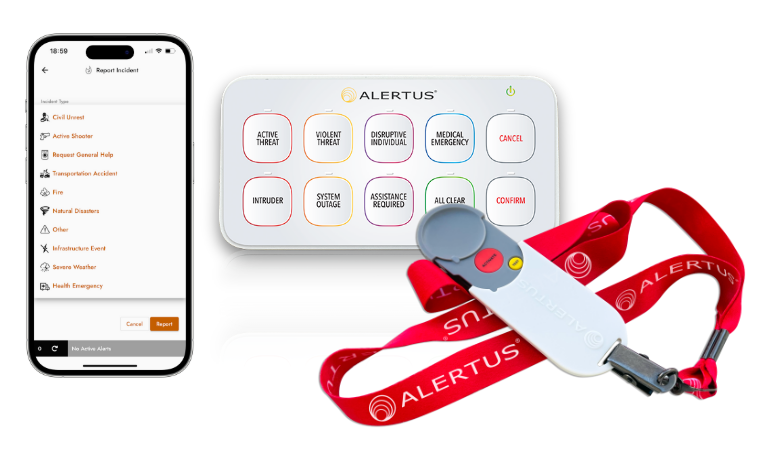
The AlertAware Mobile App, the USB Multi Panic Button, and the WiFi Panic Button can be used to request help instantly during an emergency.
The USB Multi Panic Button also connects to networks via a USB port, allowing front desk staff to select between eight preset alerts, sharing scenario-specific information with responders.
If front desk workers need to leave their desk area for safety reasons, they can press the WiFi Panic Button to share their location and information with responders, or notify the entire facility of critical incidents, while on the go.
The AlertAware® Mobile App offers a panic button feature that allows front desk staff to quickly send incident reports to emergency personnel from their current location while moving to safety.
VoIP Phones can also be programmed with a panic button key to request help or trigger instant alerts in an emergency.
Train your staff to prepare them for any emergency

Staff training on the use of panic buttons is necessary to ensure proper deployment during an emergency.
Once panic buttons are integrated into your mass notification system and front desk area, staff training is essential to ensure their comfort and confidence in utilizing the buttons during an emergency. Training sessions should:
Explain the rationale for implementing the panic buttons (e.g., new regulatory compliance).
Clearly define the types of emergencies the buttons are intended for.
Demonstrate how to activate the button through a practical test run.
Ready to strengthen security for your front office staff?
Don't wait for an incident to find the gaps in your security plan. Contact us today to schedule a demo and see these panic buttons in action.